
Cursive Text Generator
Give names, bios, and short notes a handwritten touch without picking up a pen. Type your words above, explore flowing scripts, and copy a favorite instantly.
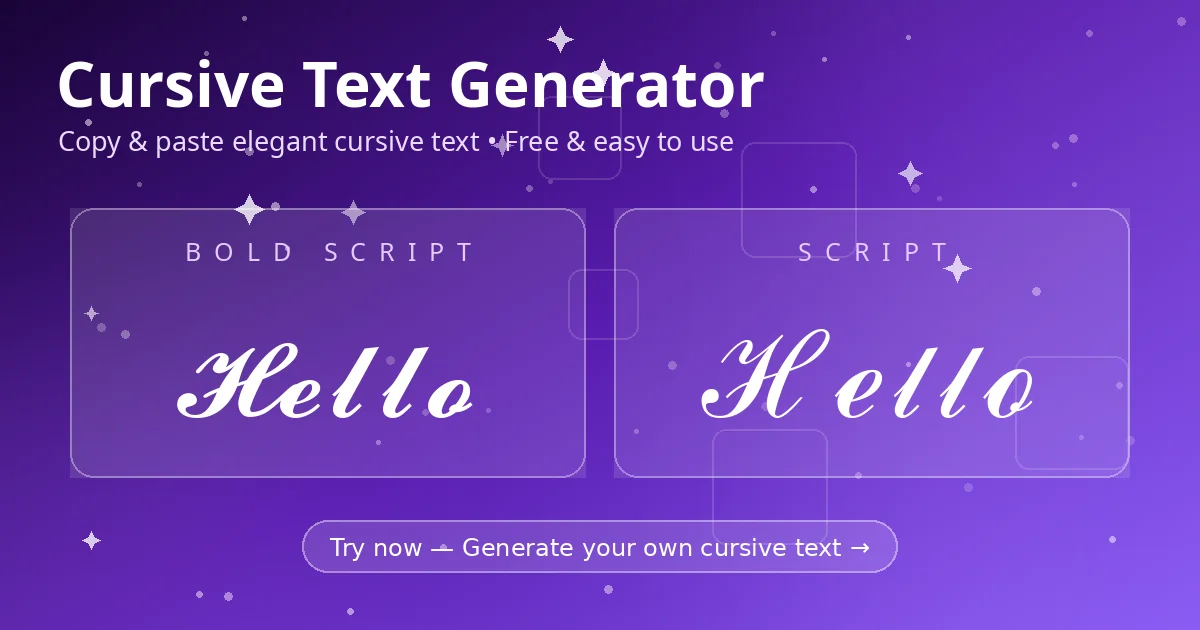
Turn Ordinary Words into Flowing Cursive Letters
Want to write in cursive without practicing every pen stroke? Enter a name or message, browse the live previews, and select Copy beside a design you like. This cursive generator updates styles as you type, so comparing options takes seconds.
A cursive converter doesn’t translate languages. Despite the name cursive translator, it simply replaces supported letters with decorative Unicode characters. Your spelling stays the same, even when the appearance changes.
Example: “Olivia” can appear as “𝒪𝓁𝒾𝓋𝒾𝒶” or “𝓞𝓵𝓲𝓿𝓲𝓪”. Test your own name before choosing.
Script Cursive vs. Bold Script: Pick Your Look
Two styles can express completely different moods, even with identical cursive words.
- Script Cursive: Light, flowing characters for quiet elegance, names, and gentle greetings.
- Bold Script: Heavier strokes that help short titles and display names stand out.
- Script Underline: The flowing script with a line below, for gentle emphasis in names and notes.
- Script Strikethrough: Script letters crossed by a line, handy for playful edits and corrections.
- Bold Script Underline: Heavy script with a line below, for short titles that need extra weight.
A cute cursive font can suit a friendly nickname, while fancy cursive feels fitting for a celebration. If you’re comparing beautiful cursive handwriting fonts, remember that these copyable symbols aren’t installed handwriting typefaces.
Check difficult combinations like capital I, lowercase l, and closely spaced letters. Some cursive alphabet fonts look elegant in a single word but become harder to read across a full sentence.
Try More Font Styles
Looking for a different look? Jump straight to these free generators:
Where Handwritten-Looking Text Adds a Personal Touch
Decorative script works best in small doses. Try these ideas before styling an entire paragraph:
- Instagram bio: Highlight your display name or one personal phrase.
- Invitation: Dress up a birthday greeting or short event title.
- Pinterest caption: Give a quote a softer, handwritten look.
- Email signature: Add a brief decorative name, while keeping your contact details plain.
For email signatures, Google’s Gmail Help explains how to add and format a signature. Copyable cursive text may suit an informal sign-off, but it isn’t a handwritten signature or a substitute for legal identity verification.
What to Check Before Copying Cursive Styles
A cursive font generator creates Unicode look-alikes, not a new cursive font installed on your phone. That’s why cursive copy and paste can preserve its appearance in many bios, posts, and messages.
Still, not every app has the same character support. Numbers may stay unchanged because script alphabets focus on letters. Accents, punctuation, and cursive styles can also render differently across devices.
You don’t need a cursive keyboard or a downloaded typeface. If you’re wondering how to make letters in cursive for an important message, use this cursive maker for decoration and ordinary text for searchable or accessibility-sensitive details.
Frequently Asked Questions
Here are short answers about creating, copying, and using handwritten-looking characters.
What is a cursive text generator?
It’s a tool that turns regular letters into copyable, script-like Unicode characters. Use it for short names, bios, or personal messages.
How do I make cursive text to copy and paste?
Type your words above and compare the previews. Click Copy beside the style you want, then paste it into another app.
How do I get cursive text for my Instagram bio?
Copy your preferred script and open Instagram’s Edit Profile screen. Paste it into the bio field and check the saved result.
Is the cursive text generator free to use?
Yes, this tool is completely free without sign-up or hidden charges. You can try different designs and copy them whenever needed.
Why does cursive text show as boxes on some devices?
Some devices lack glyphs for particular Unicode characters. Choose a simpler script style or check how the text appears elsewhere.
What is the difference between Script and Bold Script?
Script has lighter, more delicate letter shapes. Bold Script uses thicker strokes for a stronger appearance.
Can I use cursive text for my signature?
Yes, for decorative email or profile signatures. It isn’t equivalent to a legally verified electronic or handwritten signature.
What is the difference between cursive, script, and calligraphy?
Cursive writing refers to flowing handwriting; script also describes type designs inspired by writing. Calligraphy emphasizes deliberately crafted decorative strokes.
Does cursive text work for numbers?
Many Unicode script alphabets don’t provide matching digits. Numbers commonly remain in their ordinary form after conversion.
Can I use cursive text in my Instagram name or TikTok handle?
Decorative script can work in display names where accepted. Instagram @usernames and TikTok handles generally restrict special Unicode letters.
Let the Words Stay Readable
Choose a graceful design for the parts you want noticed. Simple, readable lettering often makes the strongest impression.
More Text Tools
Explore more free font generators: